WConcept art is a vital part of any game design and is fundamental to convey an idea before it is implemented. It is also a great way of testing or experimenting with ideas and getting a better feel for what you are trying to design, before you spend hours and hours creating the final assets.
Concept art is actually as much about research as it is about the generation of visual ideas. Collecting references is important and a key part to concept art.
My ShelterBox game art:
In my game I will need to draw and create lots of individual scenes and assets to allow the creation of my storybook style game. After researching how other studios and developers go about creating these type of games I have a rough idea of how I will create the game art. However, this week’s activities will allow me to start on this and get stuck into the concept art for my app.
My Process
1. I will first map out the story with detail.
2. I will then find inspiration and references for the style of my concept art but also the imagery.
3. I will sketch each scene out in pen on paper.
4. I will take this into Photoshop and touch up any mistake, splitting each scene into 3 sections (front, middle and back). This will then be used for animation later.
5. After this I will prototype the app before finalising, making changes and adding colour and textures to the final assets.
After watching the resources for this week’s activity I will use photo bashing and some of the other techniques in order to add texture, depth and details quickly to my scenes. This will be particularly useful for creating wood textures, rusted metal, brick, stones and leaves. Creating these textures will be a priority as they are used often throughout my game.
The examples below are textures created for my app concept art. These textures can then be used in the various scene files in order to speed up workflow and create a collage/cartoon aesthetic I am going for in this game.
Bark texture created in PhotoshopTree canopy texture created in PhotoshopAdding the first texture to one of the scenes.More and more textures being added.
I have found the process of editing photographs to use as textures a really fun and quick method of adding depth to my scenes. I will continue experimenting with this, finish this scene and evaluate whether I feel this is the best method for me.
Colour is a huge part of any application we use and can play a large part in our perception of the app and our interpretation of the subject. Colour is a subjective experience and everybody experiences colour in a different way. Understanding colour theory; the tools, frameworks and techniques can help in the design process and create a better app that reaches more people in a positive manner.
One important point to remember is that different cultures experience colour in different ways and has serious implications on how colour should be used in our designs. Colour is used to evoke emotion and express personality. It stimulates brand association and accelerates differentiation.
Neil Ballinger, UX Strategist and Designer at Nimbletuk says; “UX is all about putting the science behind the decisions we make when it comes to design.” Ballinger thinks its really important for UX designers to be as clued up as the Visual Designers on the theory of aesthetics.
Apple provide developers with some useful information regarding the use of colours in apps for their store:
Use colour judiciously for communication
Use complementary colours throughout your app
In general choose a limited colour palette that coordinates with your app logo
Consider choosing a key colour to indicate interactivity in your app
Avoid using the same colour for interactivity and non-interactive elements
Colour Theory:
For digital design an additive colour mode is more commonly used. You are more likely to design style guides, UI’s and layouts for illuminated devices such as computer monitors or phone screens. This mixes the different lights together to create different colours, each pixel is made up of RGB light sources.
Colour wheels are an important part of choosing colours as different combinations can create interesting harmonies or disharmonies. Using colour wheels you can automate the creation of colour palettes: complimentary, near complimentary, double complimentary, split complimentary, triad, analgous or muted complementary.
Below is an example of these colour combinations.
Creating colour palettes
An interesting activity this week was creating colour palettes from images using Adobe colour. This is a great way to create a colour palette, for use in apps, from a single inspirational image.
Below are three example palettes that I created from images captured around Guernsey Harbour. Using adobe colour to generate a colour palette allows more accurate colour sampling and replication in your app design. It also allows your to use 5 colours that are harmonies in different ways.
In this image you can see that Adobe Colours picked out the dark green door, the red brick, as well as greys and blues from the sky and background. Whilst there isn’t an obvious colour harmony I believe that these colours compliment each other well and form a strong colour palette.
In this photo Adobe colour didn’t automatically pick out the terracotta coloured roof tiles but pick out some of the subtle colours and shades in this scene. The mixture of blues and muddy browns work well together.
Finally, this last image has a wide range of colours picked by Adobe Colours. The rich red comes from a boat in the back right whilst the rest of the colours are found throughout the image.
I have found this activity interesting and has allowed me to explore colour through testing the creation of colour palettes. I will use these later on in my project as I start to formulate colours for my own app design.
From my previous research into games that promote change I highlighted a few interesting facts and figures. One of these fits perfectly with the ShelterBox brief.
“60,000 people displaced due to conflict in 2016”
This is a shocking fact and one that I feel is important to highlight. I am feeling excited about the potential to frame refugees fleeing crisis in a different light that many newspapers and media outlets do. These are communities and families fleeing for their lives from conflict, natural disasters, famine or drought. Each of the locations that ShelterBox are currently active in are all possible focusses for my game. In this journal post I have explored two disasters that ShelterBox are currently supplying aid to.
Lake Chad Basin crisis
This crisis effects 4 countries; Chad, Niger, Cameroon and Nigeria. More than two million people have been displaced and five million regularly do not have access to enough food in Nigeria, Niger, Chad and Cameroon, where the armed group Boko Haram has waged a nine-year insurgency. Families and communities are fleeing Boko Haram and have little chance to find shelter and settle. Book Haram terrorise the communities and capture young boys to form their fighters. This complex crisis has forced millions from their homes.
Possible ideas
Flee the crisis
Idea: You and your family have to flee the crisis and evade Boko Haram. You make choices in order to gain ground over Boko Haram and eventually find somewhere to settle. Tells the story through the eyes of the communities most effected by the violence.
Type of game: Side scroller with elements of comic book added in to form cut scenes. Narrative plays a big part in building suspense and empathy.
Find your village
Idea: You return to your village to find it deserted and destroyed. You follow tracks to find your family whilst avoiding Book Haram. Use Mini-games to solve puzzles and avoid conflict and drought.
Type of game: Puzzle narrative based game. Comic book style where the narrative takes centre stage and interactions are around building empathy similar to Florence.
Coordinate aid
Idea: Play as the ShelterBox response team to coordinate aid to reach those most in need. Explore the region, find those who need aid, learn stories about the conflict and connect with those affected.
Type of game: Side scroller similar to Old Man’s Journey with sections of dialogue and focus on human interactions.
Tropical Storm Usman
Tropical depression Usman hit the Philippines on just after Christmas in 2018 willing over 70 people. Landslides, flooding and flash flooding devastated the region. Many homes were left underwater. The aftermath of the depression left the area devastated with many buildings destroyed and most left just partially standing. Debris was scattered everywhere and the countryside was destroyed by the very powerful winds. This makes it difficult to access remote areas with boats, bikes and even tuk-tuks the only way to reach the remote villages and those most in need.
Flooding and devastation caused by Tropical depression Usman
Possible ideas
Flee the devastation
Idea: As the storm hits you have to flee the devastation and get to safety. Collect your family and run to safety whilst avoiding debris, the flooding and strong winds.
Type of game: This game would work either as an endless runner type game or a side scroller with puzzles and challenges to get past.
Aftermath
Idea: Scour the wreckage and try to find friends and family. Rebuild the community and experience the aftermath of a natural disaster first hand. Experience loss, joy and the struggles that this affected by Tropical storm Usman experienced.
Type of game: This game would work as a comic book style narrative game with areas of interaction that involve the player with the experiences. These moments of interaction would link to moments of emotion and key points in the story.
Response efforts
Idea: The ShelterBox response team must make it to those communities most in need. Scour the area and find a way to reach remote villages. Face challenging conditions and emotional moments along the way.
Type of game: I feel this game should be a top down game with moments bought to life through animations or illustrations. This is slightly more ‘strategy’ than the other concepts but empathy and emotions are still key.
Conclusion
At this stage I feel it is important to pick the ideas I feel will be most effective at channeling ShelterBox’s message and bringing notice to the people affected by these disasters. Whilst I do not know definitively which of these ideas will be the best concept I do need to make a decision in order to move the concept on.
I do not have a clear idea about which one of these I feel I should focus on and move forward. Each idea has its positives and negatives. If I had to choose one idea to carry on then I do like the two concepts where you experience the aftermath of the disasters. I believe that these ideas work best in order to convey empathy towards those affected and place the user into the disaster itself.
After leaving these ideas for a few days in order to think about which one to move forward I ended up discussing these ideas with a few different people. The idea came to merge the ideas together to create a whole story. After a brief buildup to the disaster the distastes occurs with the main narrative being the aftermath. This could be a good avenue to explore in order to create empathy for the main character. The only problem for this idea is the short time to get the message across. Inspiration could be found from other games that tackle issues in this sort of way. My Child Lebensborn used a comic style cut scene at the start to give background to the game. I do believe that this will be the best way to tell the whole ShelterBox story, whilst focussing on the struggles and response to the disasters. To this end I will start to take the next steps towards defining the focus of this project and undertake some user research, whilst designing the narrative of the game.
The next step for me is to research these areas further and start to formulate a narrative for the game. In order to do this I will have to look into how narrative is crafted in both games design and comic books. This will be my next stage of research. In the meantime I will also be exploring what software is needed to bring these concepts to life.
Narrowing down the style of game, and how I will convey the ShelterBox story, is the topic of this journal entry. Whilst I have some experience of playing games and creating storyboards for videos, and other mediums, I have no experience in designing and creating games. This review into two games that I find both interesting and inspiring will help me to pinpoint the key features in each of these games that convey their story so well. It will also allow me to dig deeper and understand the process behind the creation of these games.
My Child Lebensborn
My Child Lebensborn is is a story-driven nurture game about the child of an enemy soldier. growing up in post WW2 Norway. The game challenges the user to bring up a Lebensborn child who is a consequence of the actions of war. Tasked with raising the child; bathing, feeding and entertaining during a time when money, food and time are scarce. This game interrogates the complexities of bullying and the difficulties of parenting as the child goes through emotional turmoil through their childhood.
My Child Lebensborn landing pageBuilding background through cut scenes
This game engages the player into the heart of the harrowing story of the Lebensborn and helps to educate you about the lives these children lived. The interactivity places a responsibility on you as the parent to look after your child through bullying and how you both are ostracised from society.
Interactions with your child, Klaus
The interactions in this game are simple but highlight the contact with your child and the story itself. The music and sounds add to the gameplay and place an emphasis on the emotions the story creates. This is an important part to this game. This game is intuitive to play and does not require a huge amount of skill. However, the limited time credits each day put a greater focus on the struggles of post-war families and the added issues that affect the Lebensborn. This game is inclusive to a wide variety of users which makes the story highly accessible.
Making difficult decisions in My Child Lebensborn
Key points to take forward:
Gameplay highlights the narrative
Music and sound play a part in channeling emotions
Intuitive and simple gameplay is key to accessibility
Interactivity is there to involve the user in decisions and the story
Florence
Florence is a game where two people meet, fall in love and eventually drift apart. The game follows 25 year old Florence Yeoh through her daily routines and her relationship with a cellist called Krish. Throughout the story the user feels involved, but helpless as their relationship slowly ends.
Florence landing page
This game is more like a comic book or a story rather than an interactive game. This game does not give the user decisions to make, but rather uses interactivity to immerse the user into Florence’s story. This game is highly emotional and hopes to connect with us all in our own way. Simple mini-games during daily routines; including brushing your teeth, talking or other forms of interaction involve the user in Florence’s story. These mini-games are used as metaphors throughout the game. The interaction on the touch screen relates to the feelings that you are experiencing through the characters. Putting speech bubbles together is like putting words together.
Interaction through mini-games and clever use of colour
Simple interactive elements, such as scrolling, solving puzzles or pressing buttons, make the game inclusive and more similar to reading a story. This is further enhanced by the hand-drawn artwork that has a feeling of book illustrations. This could be a option for my game development as I have good drawing abilities that could bring the story to life, much like Florence. Colour is also used during the game to portray emotions, whether sad or happy.
Stunning artwork in Florence
Exploring the development process that Mountains Craft studio went through I feel this may be a good option for me to explore further. Once the narrative was crafted, splitting the game into acts and chapters was a clever way to develop the game and tie the narrative together. Storyboarding a whole chapter like a comic strip was their first task and then they reviewed each chapter. Do the frames work together and tell the right story? Here the storyboards were given interactivity to test the mechanics. Physically making each scene from paper and simulating each mechanic allowed constant testing and evaluation. Once each section was defined it was then made into a final digital version. This method could work very well for me as testing the game and reviewing with potential users will allow me to quickly alter the game and gain feedback at the same time.
Comic book style elements in Florence
Music is also a huge part of Florence and without it the user would not feel the same emotions through the story. The music portrays certain emotions and creates an intimacy that brings the story to life.
Key points to take forward:
Use of comic book style narrative to enhance the story
Small interactive elements that enhance the story and involve the user
Clever use of colour and an illustrated style to make the game feel natural and familiar.
Music that brings the game to life.
Use of storyboarding in the design process to iterate and evaluate each chapter.
One final game I would like to try is Old Man’s Journey. I have not been able to try this game as of yet, however I believe this game will also inspire me in creating my ShelterBox game. I feel that exploring games that interest me and are in a similar genre really helps at this stage as I do not have any experience in making games. Learning both the process and the key features that make these stories so gripping and emotional will be key to my development process.
ShelterBox “go to the ends of the earth to reach the most remote communities that have been devastated by disaster.” Their teams travel by foot, boat, helicopter or even tuk-tuk to get to their destination. Whatever or wherever it is their teams of volunteers do not stop until they get the right resources to those who are in need.
ShelterBox provide aid to those in need during the world’s worst crisis’s
What do
they do?
Their highly trained ShelterBox response teams go the extra mile to
find the people left vulnerable after a disaster – to make sure that no one
gets forgotten or left behind. The ShelterBox response teams don’t just provide
tools and tents or share skills, they are the connection between ShelterBox’s
supporters and people devastated by disaster – ordinary families helping other
families thrown into extraordinary circumstances.
Right now, around 85 million people around the world have been made homeless by natural disaster and conflict. By providing emergency shelter and tools for families robbed of their homes by disaster, they are transforming despair into hope. ShelterBox are impatient to see a world where no family is left without shelter.
Where do
they work?
Philippines
– Tropical storm Usman
The deadliest weather disaster
in the Philippines in 2018.
ShelterBox are supporting families
whose homes and livelihoods have been swept away.
Syria
– Ongoing conflict
The conflict is entering its 9th year.
This has caused a displacement of over 700,000 people
1,500 families received vital help to aid them through this winter; mattresses, blankets, solar lights, clothing, kitchen sets, tools etc.
Syrian Conflict ShelterBox delivering aid
Lake
Chad Basin – Forgotten crisis
Since 2009 Boko Haram has been
waging an insurgency in Northern Nigeria.
10.7 million people in the Lake
Chad n region need aid.
Lake Chad Basin – The factsAid reaching refugees
Somaliland
– drought
Severe drought in Somaliland
has affected an estimated 766,000 people since November 2016.
Indonesia
– Earthquakes and Tsunami
On Friday 28th
September a powerful 7.5 magnitude earthquake hit the island of Sulawesi in
Indonesia.
Shortly after a deadly tsunami
hit the region.
Over 2,100 people died and
200,000 had their homes destroyed.
Iraq
– After the relief of Mosul
On 10th July 2017
Mosul was finally liberated from IS control. Humanitarian crisis is still dire
in Iraq.
ShelterBox previously supported
8,000 families.
Ethiopia
– conflict and flooding
Severe flooding and conflict
have displaced numerous people.
1,000,000 people have been forced
to flee with flooding destroying thousands of homes.
Support has been provided to 1,995 families in the West
Guji zone.
How do they currently tell their story?
Visitor
centre
ShelterBox’s visitor centre in Truro, Cornwall is a great way to get people involved in the ShelterBox story. With two main exhibits here is what a visitor can expect.
ShelterBox visitor centre. Experienced virtually.
Step
into the world of disaster response
Discover the ShelterBox story and find out what it
takes to respond to disasters around the world.
Pack a ShelterBox
Complete a disaster challenge
Get hands on with ShelterBox tents
and shelters
Minecraft – Can you build a tent or
make a massive ShelterBox in Minecraft creative.
Hurricanes,
cyclones and Typhoons
Find out how we help people, who’ve lost everything,
start to rebuild after these devastating storms. Step into our hurricane lab to
discover the science behind the storms.
Hear accounts of the deadliest hurricanes, cyclones and typhoons that ShelterBox has responded to.
Find out what it takes to deploy to a disaster zone and send the aid the people need to start rebuilding their lives.
ShelterBox’s use of games and virtual environments to tell their story
ShelterBox’s visitor centre really helps people understand the role that they play in disaster response. Through interactive exhibits, films and events ShelterBo educate people about the disasters, why they occur and how the charity helps to rebuild people’s lives. Particularly interesting is their use of Minecraft to add interactivity and make a point about their work. Their Virtual visitor centre also adds a layer of interactivity for those unable to visit in real life. These show that ShelterBox are keen on embracing technology in different ways in order to get their message across. One point to focus on could be promoting ShelterBox at conferences and events but also through a downloadable app to further push their message to a wider audience. I will explore this idea of different mediums for different events during my next research phase.
ShelterBox at events
ShelterBox advertise themselves across the country through printed media, volunteers and events. Festivals such as WOMAD and sports events such as the London to Brighton cycle event are key ways to promote what they do and gain new donors. Whilst traditional methods of marketing are used I feel there is definitely a new way for the public to become immersed in the ShelterBox story.
ShelterBox marketing materialShelterBox at WOMAD festival
ShelterBox
Annual report 2017
Below are findings from the ShelterBox annual report
which will help me to gain insight as to the running’s of the charity and how
they currently gain new donors.
Donations:
A total income of £12.4million in
2017
12% increase in donor base
Strategy of targeted campaigns;
adverts in national newspapers, direct mail, inserts and door drops has engaged
new and existing donors.
Digital fundraising increased
through social media, broadcasting live operation updates and pay per click
advertising.
Community and events:
Launched and supported an extensive
range of events to raise funds; London to Brighton cycle, London triathlon, stands
at festivals etc.
Awareness:
Key goal for the future is to strengthen
the content of the communications team.
Future goal is to drive awareness of ShelterBox and its impact, share case studies, video footage, operational insights and maximise digital communications.
Conclusion from research
ShelterBox provide aid for those most in need around
the world and their message is clear: get shelter and aid to those without a
home as quickly as possible. Spreading this message will be key to increasing
their efforts over the next few years. My initial thoughts on how to spread
this message are an experience based game that plunges the user into the heart
of one of the disasters ShelterBox is tackling. Possibilities for a VR or AR
experience for events and a mobile game that can be downloaded from app stores
to further increase the reach of the message.
This research task has helped me understand how ShelterBox
operate, how they tackle crisis’s and how they reach donors. This research will
help me define the issue/ crisis to highlight and how exactly I will do this. Further
research may be needed in future weeks but I feel this section of research is a
good start to the project.
This brief is quite demanding in that they
are looking for several demo ready prototypes for testing and evaluating. I am
not sure whether this will be possible in the short period of time that I have
in this module and my limited ability with game prototyping. Nonetheless, I
will look to get stuck in and get as far as I can in the time available. Over
the next 12 weeks until the 2nd of May hand-in I will research,
design, test and iterate in order to progress from brief to final prototype.
Below is a rough project timeline outlining key phases, areas of action and key
skills needed for each.
Phase
1: Research (3 weeks)
Tasks:
Research ShelterBox and define
the issue that I will be highlighting.
Issue research; what is it and
how can I highlight the work that ShelterBox do? How can I make it engaging for
the user in the environment/s of use?
Research the users,
competition, the setting/s of use, platforms and technology and the method of implementation.
Gain user feedback and test
initial concepts.
Review concepts decide which
ones are being bought forward and plan next phase.
Skills
needed:
User centred design methodologies
and research techniques that can be applied from previous experience and research
in the last module.
Research and analysis skills in
order to narrow down area of focus to the specific issue and how to convey the
message I am looking to put across.
Comments:
This phase should be straightforward and
familiar to me as these are the processes I have used many times in initial
design phases of projects. Human-centred-design techniques, methodologies and refinement
of the problem to a specific concept will push me to apply these skills which
poses a good challenge. Finding a range of people to bounce ideas off, test
initial concepts with and gain feedback will be the most challenging aspect of
this initial phase. To get past this I will have to call upon friends, family
and other acquaintances in order to explore ideas with the rigour needed.
Phase
2: Design (+ iteration) (3 weeks)
Tasks:
Create a mood board/ collage of
ideas and inspiration for the concept/s.
Wireframe and test multiple concepts
with potential users.
Iterate on the initial feedback
and create updated (and more detailed) concepts.
Refine concepts through testing
and pick final concept/s to bring forward to prototyping.
Review concepts and plan prototyping
phase.
Skills
needed:
User experience and user
interface skills will be tested through wireframing, testing and concept development.
User testing skills will also be
utilised in order to gain the most high-quality feedback I can.
Digital prototyping skills of
app screens will be used towards the end of the phase in order to gain feedback
on developed concepts. This will involve Figma, Sketch and InVision App, as
well as other software’s depending on the concepts.
Comments:
This phase is where lots of the difficult decisions
and base design work get done, and 3 weeks does seem both short and ambitious,
but I need as much time to prototype the concept/s as possible due to my lack
of experience. I will also still be able to iterate and develop the concept
during the prototyping phase as I test out ideas. Therefore, I think the 3 weeks
will allow me to create different concepts, test and review each and then
detail the concept/s in a fast-paced manner. This pressure will also help to
push me to make decisions and not waste time.
In
order to achieve this, I will have to make sure I have prepared all the necessary
equipment, software and make sure I am well-versed in each. I have not used
InVision App before but will start learning it so that I am confident and quick
by the time this phase comes about. My Daily UI challenge will be a good way to
learn and test this skill.
Phase
3: Prototype (6 weeks)
Tasks:
Break up each concept into
small chunks for prototyping and testing.
Prototype and test each section
as I go in order to allow for iteration and development.
Constantly test the prototypes
with potential users to gain feedback and evaluate my progress.
Final user testing of demo
ready prototype/s and review outcome.
Skills
needed:
Prototyping the concept/s in
software such as Unity, Unreal, Game Maker Studio or others suggested by peers.
Graphic/ game art creation
using the right software; photoshop, illustrator…etc.
User testing and concept
refinement along the way as well as final prototype testing.
Comments:
In the research phase, when I carry out research
into platforms, technology and then evaluate my initial concepts, I will decide
on the form this app will take, what device it will be used on and most importantly
the software/s need to develop it. Whether that is Unity, Swift or a non-programming
software I will need to decide on this quickly in order to prioritise learning
the skills needed. This is going to be the biggest challenge as I hold high
standards and will not accept a poor prototype, even if I have limited experience
in the software’s necessary. This will be a fun challenge however, and I will
start researching tools that I can use as soon as possible in order to work out
which one I need to start learning.
Creating the game art or graphics will also
depend on the concept’s direction. Whilst I do have good drawing and photoshop/
illustrator capabilities I have no experience in translating these into a game.
Again research on the best way to do this will take place through the first and
second phases to make sure I am prepared for prototyping.
After my initial research into games that promote change and my exploration of a few issues that both interested me and could be areas to explore through my game, I decided to look into the ShelterBox brief that my peers recommended to me. This brief is right up my street as is combines tackling a social issue with creativity and technology to highlight what ShelterBox does. This post will explore the brief and outline a plan for me to put in place over the coming weeks in order to research and create a concept around this brief.
Background
ShelterBox believes that shelter is a basic
human right; shelter from chaos, disaster etc. Criss suspends humanity and
ShelterBox looks to set this right. They provide the tools necessary to enable
people to rebuild homes and transform lives.
ShelterBox at work
The
brief
Develop ideas for technological solutions
that can be deployed at public events to highlight the work that ShelterBox
does and generate discussions that raise public awareness.
Primarily, place the user at
the centre of the ShelterBox story in a way that is thought provoking.
Allow visitors to learn more about what we do
in a playful and engaging manner.
Possibly, extend the user’s
role in the game beyond the initial 5 minutes.
Specifications
Create a very portable prototype that should
be small enough to fit within a conference booth. ShelterBox are interested in
experimenting with immersive experiences such as AR, VR and mixed reality. Prototypes
must fully explore the possibilities to show what ShelterBox do.
The
challenge
The solution should:
Find a balance between
entertainment and serious, thought provoking engagement.
Be playful and challenging experiences
that also convey a message and urgency for our cause.
Be packaged and contained
within a short but meaningful format: 5 mins.
Milestones
Deliver a formal proposal
Create a formal proposal document that is
informed by multi-modal research taking into consideration; users, competitors,
technology, trends and site-specific details. Then synthesise your ideas into 1
or 2 potential ideas for exploration.
Create
several feasible prototypes
Using the most appropriate platforms and frameworks,
create demo ready prototypes that realise the basic concepts.
Test
the effectiveness of the prototypes
Carry out usability research to measure the
effectiveness of the prototypes.
Narrative
design is not solely used in games design as it is a transferrable skill to app
development and many other creative industries. UX design is full of methods
that involve creating fictions for the purpose of testing assumptions,
generating ideas and forming a better understanding of the user.
Personas
are ‘fictional characters’, which you create based upon your research in order
to represent the different user types that might use your service, product,
site or brand in a similar way. You can also focus on flash fictions of
everyday UX/UI practice and the threads of narrative that are required to
speculate about potential users and their journey through your designs. The
linearity of traditional narrative fiction does not apply here. The user’s journey
through an app is non-linear; they have agency over their choices and journey.
Interactive narrative
Narrative
is typically crafted (like a plot) and does not allow for user decisions or
interactivity. As a writer of an interactive narrative you are creating a space
in which a player acts, except when taking away interactivity, possibly temporarily,
we can’t directly control the events that occur within this space. Narratives
are experienced in distinct pieces or ‘story-chunks’. In interactive narrative
these could be choices that the player makes, the actions that they take and
the events that then occur.
Embedded
narrative: traditional, authored content that is placed into the system. This
takes the form of cut scenes, back story etc.
Emergent
narrative: emerges from interaction with the system. It is built by the player
as they play.
Types of interactive narrative
Branching narrative:
The
story diverges as the player makes choices. Paths usually splits, re-joins and
splits again. However, lots of authoring of the plot which much of which the
players may never see.
Branching narrative in Black Mirror: Bandersnatch
Linear interactive narrative:
Linear
story presented across the game. Cut scenes or other narrative exposition,
interspersed among playable segments or levels. Here narrative and
interactivity are almost completely separate.
Linear interactive narrative in the Uncharted series
Sandbox:
These
are systems where players can build their own story, with little dictated to
the player via embedded narrative beyond the over-arching world and its rules.
Stories rely on emergent narrative; feels very interactive but can be directionless.
The hugely popular and creative Sandbox game Minecraft
Autonomous
agents:
Some
interactive narrative use systems that rely on autonomous agents. Non-player characters
in the world are designed to act and react under their own drives. This can be
used to create a believable micro-society.
Autonomous agents are used in Left 4 Dead
Role playing games (RPG)
Players
assume the roles of their characters and involves acting or decision making on
behalf of the players taking these roles.
Components
for an RPG:
Character
representation – the characters the players are playing have to be represented
within the system. Usually numbers are used to represent the characters skills
and attributes.
Challenge
within the system – Player vs player or player vs environment. Challenges
between characters or environment. Comparison of stats with randomness thrown
in the mix.
Conflict
resolution – chance to come into play in conflict resolution. E.g. can a player
knock down a door, defeat an opponent etc.
Things
to remember when designing and RPG:
What
is the setting? Fantasy, Sci-Fi, real-world etc.
Setting
must have flavour. Is it dark, funny, cartoon physics?
How
rigid is the system? Light on rules or strict?
Who
does what? Is there a ‘game master’?
Most importantly make it, play it and iterate upon it.
Continuing from my research into games to promote change I came across a book I had picked up a year ago called 250 facts and figures. Each page contains a different fact or figure about the world in 2017 from facts about climate change to inequality and healthcare. This is a great resource for flicking through to discover something that interests me, and I feel passionate about.
The following are the 5 facts that caught my attention.
80% of epileptics live in low and middle income countries, with 75% of those people not receiving treatment.
47,000,000 people live with dementia
Corruption, bribery, theft and tax evasion costs $1.26 trillion for developing countries.
Over 60,000,000 people were displaced from their homes worldwide due to conflict in 2016.
6 times as many people die from pollution a year than from malaria and 4 times as many than HIV/AIDs.
Each one of these could be a great starting point for a game, however I am not currently sure which one I should pick. In order to quickly come up with ideas I will spend 5 minutes creating mind maps of game ideas for each one and I will then evaluate the ideas to work out which ones will create the best concepts.
Epilepsy in low-mid income countries
47,000,000 people living with dementia
Corruption, bribery and tax evasion in developing countries
60,000,000 people displaced due to conflict in 2016
Deaths by pollution
Review of ideas
These mindmaps, what I call “no judgment mindmaps” are created rapidly and without critiquing or judgement of the ideas. Now come the part where I re-read and critique the ideas and see which ones I think I can turn into concepts.
Immediately when I start reading through these ideas there are a few that jump out as being both interesting and feasible. I narrowed the ideas down further to these top 5 game ideas:
Corruption– Divert money and resources where it needs to go in order to stop corruption and benefit your community.
Corruption– Run for government: help your community through legislation that stops corruption.
Pollution – Grow your tree/park/forest to reduce pollution and clean the city.
Pollution – Show pollution in your environment through AR/VR
Epilepsy – deliver medication to those in need in rural developing countries.
These ideas are all really interesting to me and whilst I have no idea where they might go, what platform or form they will be I feel having a strong concept will enable the right path to reveal itself in the coming days. My initial favorite idea is the pollution game where you grow trees/parks/forests etc. to clean your city as I feel this game could be an interesting relaxation style game that is in contrast to the busy nature of our everyday lives.
My initial thoughts for this individual project was to
channel my interest in sustainability and real-world problems into a game in
order to promote change. Choosing a topic that I am passionate about to bring
to life in a game will tackle the problem through greater publicity, interaction
and a higher level of empathy and understanding.
In order to begin research I needed to look at what
was already being developed along these lines. In recent years we have seen an
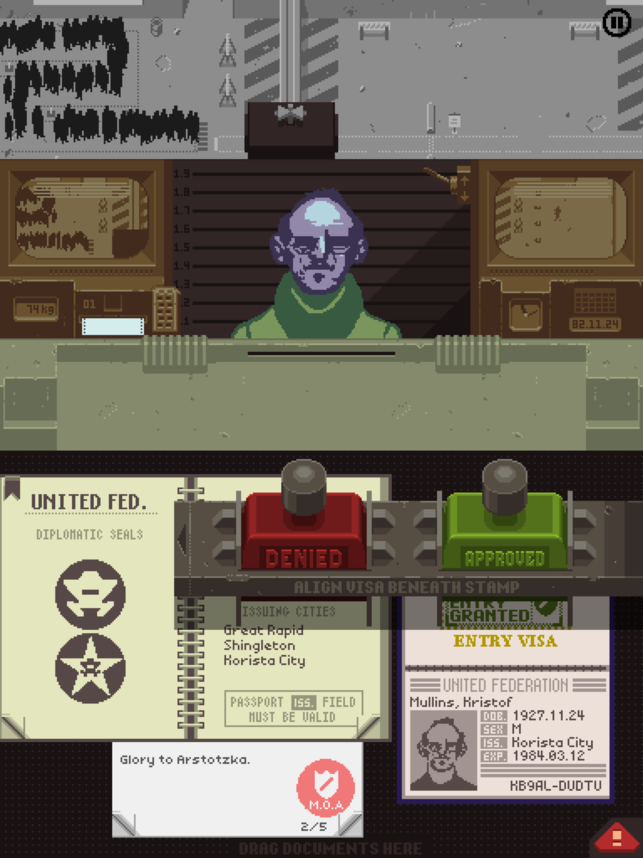
increase in games that tackle social issues including the high acclaimed Papers, Please, a game about ethical decision
making in a fictional communist country during the Cold War. Below are a few other
examples.
Paper, Please
After days
– based on the story of the 2016 Nepal earthquake where you are tasked with
rescuing survivors.
After Days
My Child
Lebensborn – a story-driven
nurture game about the child of an enemy soldier growing up in post WW2 Norway.
My Child Lebensborn
Ayiti: the cost of
life – A human rights game in which the player is a young,
poverty-stricken child in Haiti.
Ayiti: The Cost of Life
Darfur is dying
– Missions task players with foraging for water while
outrunning the militia, as well as experiences daily life in a refugee camp.
Durfur is Dying
The migrant
trail – players assume two roles: a migrant and a patrol
agent to teach themes of empathy through simple role-play.
The Migrant Trail
Nightmare:
malaria – This
is a social awareness game about malaria which
features facts about malaria and how simple solutions, like nets, can save
lives.
Nightmare: Malaria
Games for change
& social themes
An American initiative called Games for Change has
been setup as a competition and support network to promote young students to
create games around key social issues. By providing support, tuition and
inspiration young students are helped to tackle the following social issues.
15 social
impact themes:
Automated communities 2050
Endangered species
Disrupt aging: implications of
living 100
Envision gender equity, diversity
and inclusion
Wildlife conservation
Connected cities
News literacy
Kindness and empathy
Future communities
Climate change
Local stories and immigrant voices
Smart cities
Animal welfare
Civic journalism
Literacy
Youth justice
These themes are a great place for me to start researching and a place to take inspiration from. These are all key issue in our society and designing and creating a game around one of these will be both challenging but exciting for me to undertake.
The next step in this process is to research and define a few issues that I feel passionate about exploring and coming up with ideas of how to solve them in the form of a game.




 Nathaniel's Creative App Journal