Platforms and tools

This week we were tasked with researching and exploring the platforms and tools that we will use to develop and create apps. Exploring a variety of software development kits, programming languages and development environments will allow me to choose what tools I need in order to develop the apps that interest me and are relevant for my future career.

As some insight into the applications I would like to start designing, I will be looking to create apps that improve peoples lives, help implement sustainable strategies and make them more accessible. I will mainly be focussing on mobile applications (smart watches and phones). However, I will not be limiting myself to this if a solution to a problem  is an app on a different platform. I am also interested in linking interesting technologies, iBeacons, RFID, AR etc. to apps. 

My criteria for tools is a visual and completed prototyping tool for UX/UI and a programming language (and relevant tools) to realise the types of applications I would like to design. Due to my inexperience with coding I am looking for a language that has a relatively easy entry but with scope for more complex and exciting application further down the line.

Here is an overview of the tools that I have research and explored.

BuildFire.js:

Rapid mobile app creation through the BuildFire SDK and JavaScript. The programmer uses the supplied platform and customises the program to suit their specifications, rather than building from scratch. 

This allows for easy and quick development of new concepts. The pre-programmed framework cuts down the time needed to develop apps and also makes it very scalable. This is also a good option for people new to mobile app development. 

The downsides of this platform is less features and hardware integration. NFC and iBeacons, AR and other more advanced features are limited if not unavailable. The limitations of this platform mean it might be unsuitable for many applications that I would look to exploring. The cost of getting the app live on the App or Google Play store requires you to have your own developer account with the features increasing with cost. 

For inexperienced developers or small enterprises BuildFire would be a good option however, for the cost and the creativity needed for the course I think that other options would be better suited.

Python:

As the most popular programming language it is used by top companies as it applies to a variety of applications. You can create almost any type of app with Python and for many different operating systems like Windows, Linux, Unix and Mac. A cross-platform framework makes its a great tool for creating complex multi-threaded applications. 

As an easy language to learn, and read, it makes it a good language to start learning with. The maturity of the software has meant that Python has built up a huge amount of libraries that can be used for a variety of uses. The community that Python has built is huge and cannot be undervalued. 

The downsides of Python is that whilst it is a hugely strong app development language the limitations come across when developing mobile apps. Whilst I thought Python might be a good language to learn due to its relative ease, the limitations in mobile development means I will look for another language. 

Swift:

Swift is the latest programming language for the Apple ecosystem and has started to take over from Objective-C. The main advantage of Swift is its readability and its clean syntax due to it closely resembling English. Fewer lines of code is another great benefit. 


swift

Swift is also the fastest growing language and has a growing community. Despite being a relatively young language it is becoming a very desirable way to create apps for iOS and MacOS platforms. I also believe that due to the relatively small pool of developers, and the growing popularity, learning the software now will help make me stand out from other developers in the future and stay relevant. 

ARKit 2 has recently been released and has some great features including orientation tracking, world tracking, 3D object recognition and face tracking. I think that AR will impact our lives more and more through the apps that we use. Apple’s ARKit is the leading platform for mobile augmented reality and for me is the most advanced and accessible. The Pixar developed USDZ format for AR objects is also supported by Autodesk, Adobe and other third-parties making it relevant and accessible. AR is one of the major reasons why I believe that Swift could be the programming language I will start learning, using the large variety of resources out there. 

Adobe XD, Figma and Sketch:

These three tools are great prototyping from a UI and UX standpoint. Whilst I have used Adobe XD in the past to create wireframes, mockups and preview apps I am interested in trying Sketch and Figma to see if these options provide any benefits. Each piece of software has its own benefits from prototyping to collaboration. These tools will allow me to rapidly create wireframes, prototypes and test apps before turning to code to realise my creation.

Conclusion

Looking at my skillset, current tools and software experience Swift looks like a good option for me to start learning as a solid start to programming and app development. Whilst from a UX/UI standpoint I will start in Adobe XD, whilst trying out the free versions of Figma and Sketch to compare the three prototyping tools.

The next step for me is to watch some tutorials and examples of how to start learning Swift. Exploring tutorial courses on Lynda and Pluralsight will help me to understand and get started coding apps.

Google Lighting Talks

Watching the Google Lighting Talk 2017 was a great resource to start thinking about the technologies that I could implement into future projects. The variety of technologies from hardware to DevKits and coding algorithms has given me a lot of options for future apps. I have picked out a few technologies that I find interesting and will look to explore further.

Google spotlight stories:

This is a 360 degree VR platform to create immersive storytelling. Blending technology and art together to create sensory experiences that combine visuals, sounds, movement and exploration. This technology is available in DevKit form and provides a platform on which to explore the creation of emotive experiences. In future projects I would like to explore this as I really like the use of technology in a tangible and meaningful way.

Screenshot 2018-09-30 at 19.00.58.png

Google Spotlight Stories: Special Delivery

Jacquard:

Jacquard by Google looks to change how we perceive and use items of clothing. Embedded wearable technologies allow the suer to perform functions with simple gestures and button presses. The interplay of physical objects and digital functions is a fascinating combination and one that as a Product Designer I would like to explore further. The ability for technology to become ‘invisible’ and blend into our daily routines is where I see technology heading which is what makes Jacquard so interesting.

Soli:

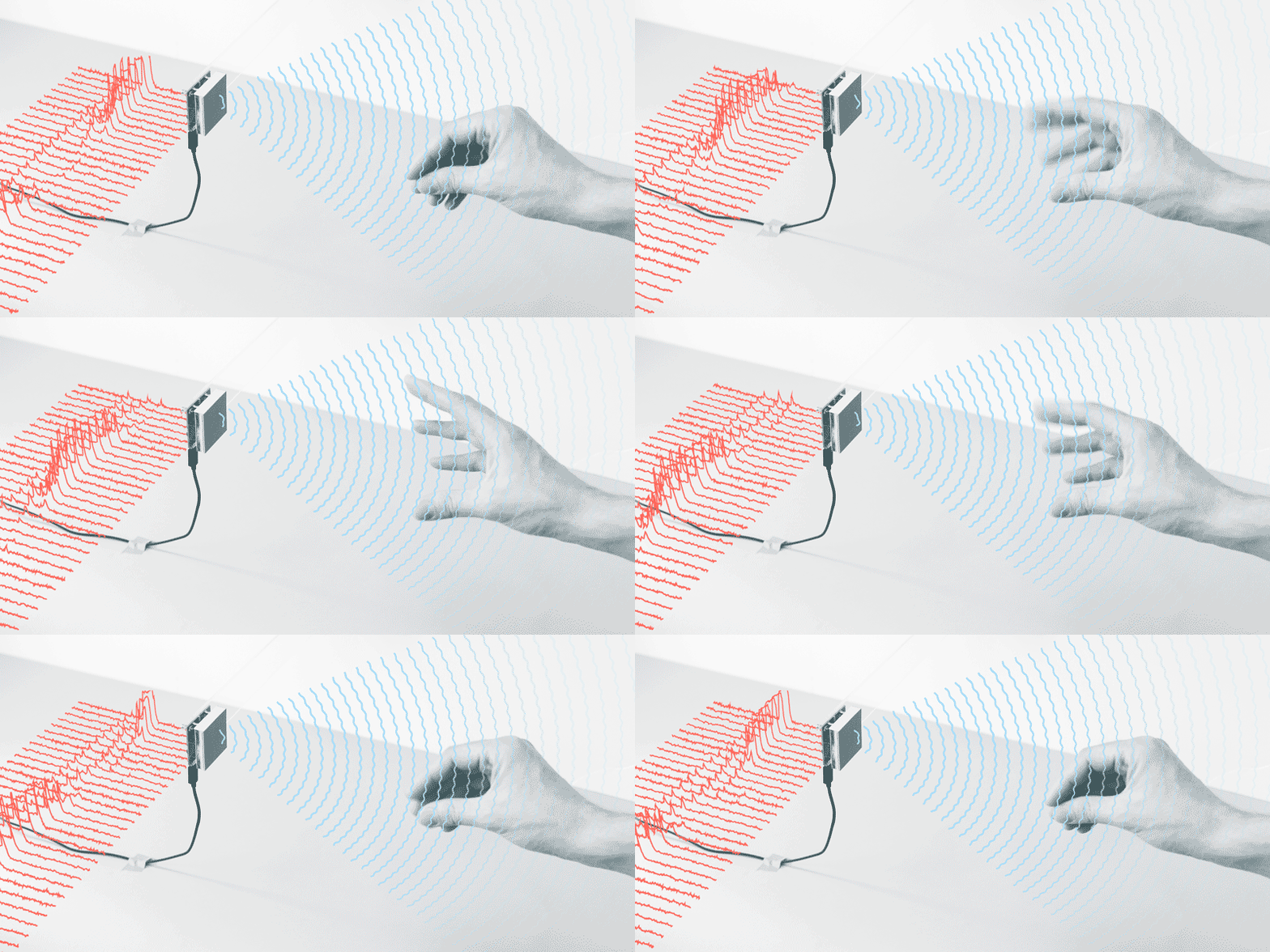
Another technology that connects products to digital applications. Soli miniaturises radar to allows users to use gestures to control digital applications or functions. From controlling digital devices like watches to controlling characters or actions in games there are many uses for the hardware. Google sees this technology replacing game controllers due to the precision of the micro-gestures that it recognises. Hand gesture movement could define how a user explores a virtual world in VR games in the future. Soli has already overcome a hurdle that stops many tech and that is miniaturising it to make it useful and unobtrusive.

With DevKits in the hands of selected partners Soli is coming up with some fascinating outcomes. University of St Andrews has used the technology to detect materials through weight and other characteristics. This gives rise to possibilities of enhanced real world interaction with games and applications.

radar-visualisation-loop.gif

Project Soli, Google ATAP

Project Tango AR: 

Project Tango was an early, and eventually unsuccessful, attempt but Google to bring AR to smartphones. The idea of utilising motion tracking, depth perception and area learning to provide AR experiences was ultimately flawed by the use of specialised hardware. Today’s ARKits use hardware already in devices to achieve astonishing results. This shows that some ideas need to be explore but that not all technology that makes a breakthrough will affect our lives and revolutionise the industry.

Nevertheless, this has led to improved consumer AR experiences that promote applications to break out from a single frame and shift the boundaries of this technology. The ability of AR and VR to transport you to different places, tell stories and create greater emotions is fascinating and the opportunities are endless. These technologies are being used to put people in scenarios or stories that alter their perception of reality.

As an iOS user I would like to start learning Swift and ARKit 2 in order to explore the possibilities of AR app development.

arkit2_lifestyle-room_06042018_big.jpg.large

ARKit 2, Apple, 2018

Conclusion:

The breadth of new technologies that will effect how we interact with apps, how we consume the information and how they are combined with hardware is truly inspiring. Over the coming modules I would like to explore this connection between software and hardware and the interplay between the two.

Creative Piece: Research and first ideas

“As long as we have each other we will not run out of problems.”

When I first heard this theme I was split between two meanings. On one hand this sounds like it is saying we will always cause problems for each other but the more I thought about it it is promoting us to interact with each other, to collaborate and to solve problems.

My first step in researching this theme was to look into the Global Game Jam 2009 where over 1000 games were created based on this theme. Cooperation and teamwork were key themes from these games as show by the game below Robots and Girl. In this game the objective is for the robots to work together to collective macaroni pieces to make a necklace for the girl. As an added layer of frustration the two robots repel each other. This game puts cooperation at the forefront of the mechanics and shows the ability to work together in a fun manner.

Screenshot 2018-09-30 at 17.56.55.png

Robots and Girl, Global Game Jam 2009

After researching the Global Game Jam 2009 and defining the meaning of the theme as cooperation and teamwork my next focus was to map out what areas I could explore in this theme, what types of solutions there could be (apps or games) and start to flesh these out into ideas. The pictures below show mind maps that go through this process of idea creation.

Screenshot 2018-09-30 at 18.09.42

Exploring cooperation, teamwork, interaction and collaboration. What areas I could explore in my creative piece and what problems it might accomplish.

Screenshot 2018-09-30 at 18.09.27

Developing the areas further and creating some ideas for apps. My focus was on connecting people together whether this was sharing skills or providing support. I believe that creating a network using technology to link people of all skills, backgrounds and interests could be a really interesting way to tackle this theme.

Next I will explore these concepts deeper, decide which route I want to go down, the format for this app, what platform and technology it would use and start to build a more detailed concept.